Video over Fiber · KVM
KVM over fiber: the workstation moves, the operator stays
KVM-pattern models from the HDMI and DVI families — video one way, USB control back, audio and loop-outs where the design needs them — over a single fiber link.
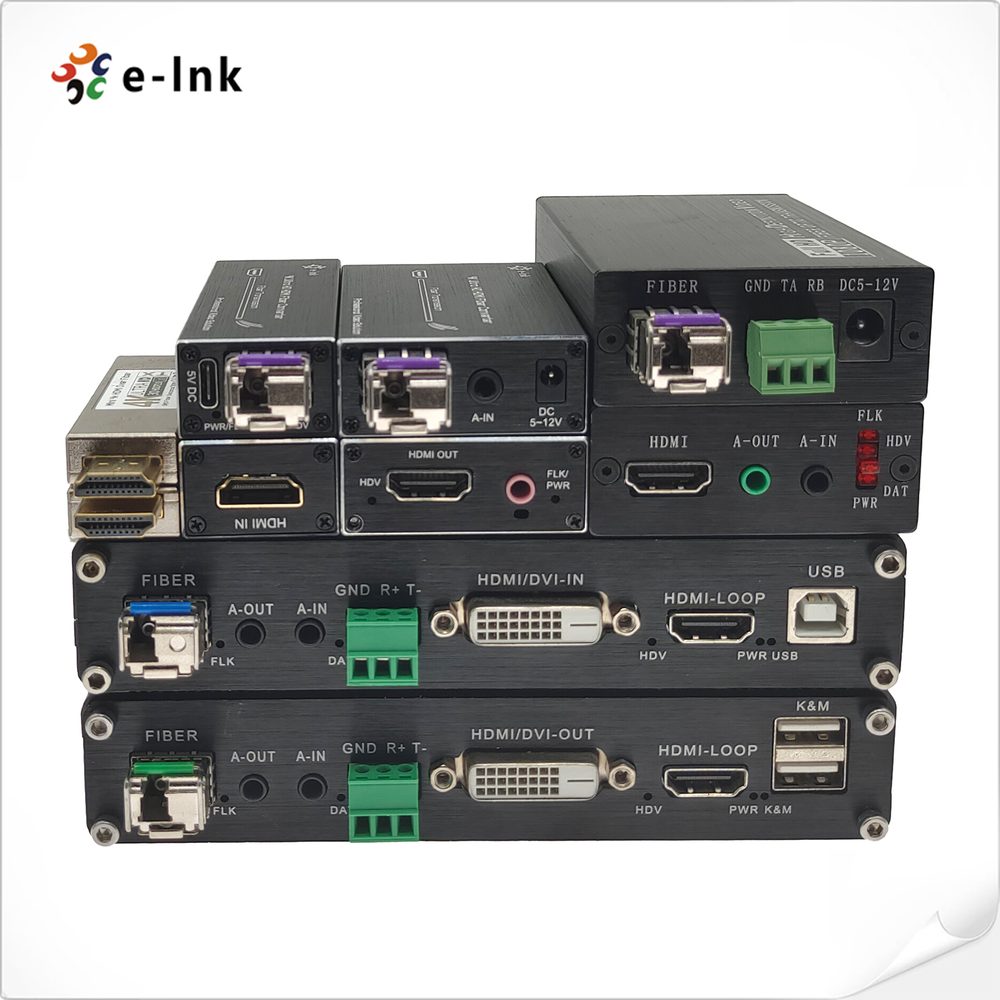
KVM-pattern models from the HDMI and DVI families — video one way, USB control back, audio and loop-outs where the design needs them — over a single fiber link.
KVM over fiber exists because of a simple operational truth: computers are loud, hot, valuable and worth securing — and operators are none of those things. The KVM pattern separates them: the workstation goes to a machine room, and a fiber link carries its video to the desk and the desk's keyboard, mouse and touch back to the machine. Fiber is the right medium for that separation because the distances are building-scale and the link must be indifferent to the electrical noise between a plant room and a control room.
In this catalogue the KVM pattern is delivered by models inside the HDMI and DVI families rather than a separate badge: HDMI/DVI fiber extenders whose panels carry USB for keyboard and mouse, HDMI loop outputs for a local monitor at the machine end, and audio in/out for the operator position. The documented range runs from desktop pairs to the 4K HDMI 2.0 KVM USB fiber model in the HDMI family. The table collects the KVM-relevant models; a KVM quotation validates the exact pairing against your video format and USB device list.
| Model (official product name) | Series | Documentation |
|---|---|---|
| 4K HDMI 2.0 4:4:4 Fiber Optic Extender | — | Specification captured from the official product page |
| 4K HDMI 2.0 KVM USB over Fiber Optic Extender Converter | — | Full specification confirmed per model at quotation |
| 4K60Hz DP Video Fiber Extender | — | Full specification confirmed per model at quotation |
| 4K60Hz HDMI Video Fiber Extender | — | Full specification confirmed per model at quotation |
| Mini 4K/60Hz HDMI 2.0 KVM USB over Fiber Optic Extender | — | Full specification confirmed per model at quotation |
| Mini 4K/60Hz HDMI2.0 over Single-Core Multimode Fiber Extender | LNK-109M | Specification captured from the official product page |
| Mini 8K/60Hz HDMI2.1 over Single-Core Multimode Fiber Extender | — | Full specification confirmed per model at quotation |
| Multi-functional 4K 60Hz HDMI KVM Fiber Extender | — | Full specification confirmed per model at quotation |
| 1Ch HDMI + 1Ch Bidirectional Stereo Audio + 1Ch RS232/RS485 over Fiber Optic Extender | LNK-WHF100DA | Specification captured from the official product page |
| Mini HDMI Video Fiber Optic Extender with Bidirectional Stereo Audio and RS232 | — | Full specification confirmed per model at quotation |
| Multi-functional 1080P HDMI Fiber Optic Extender support KVM + RS232 + Bidi Stereo Audio + GPIO | — | Full specification confirmed per model at quotation |
| 120M 1080P@60Hz HDMI KVM Extender Over TCP/IP | — | Specification captured from the official product page |
| 4K HDMI Splitter 1x10 | — | Specification captured from the official product page |
| 4K HDMI Splitter 1x16 | — | Full specification confirmed per model at quotation |
KVM-pattern models drawn from the HDMI over fiber families and the wider HDMI range (including the documented 120M 1080P HDMI KVM Extender over TCP/IP for copper comparison). The full model shortlist for a KVM project is confirmed in the quotation.
A KVM inquiry should enumerate the desk: monitor count and format, keyboard/mouse, touch screens, USB audio, any local monitor needed at the machine end. Each item maps to a documented feature (USB ports, loop-out, audio channels) on specific models — the shortlist writes itself once the desk is described.
KVM models inherit the format ceilings of their video families — 1080p and 4K lines are separate. State the workstation's output format, including whether the future holds a 4K upgrade, before choosing.
Within a room or a floor, Cat6 KVM extenders (the catalogue documents a 120 m 1080p HDMI KVM model over TCP/IP) can be the economical answer. Fiber earns its place across buildings, noise and distance. We would rather quote the right medium than the fashionable one.
The link is a physical-layer extension, not a network stream: video is not compressed into packets for a LAN. Operators use these links for direct control work; any hard latency requirement should be stated so it can be confirmed against the exact model.
KVM extension is point-to-point per link. Multi-machine access is built by switching at the desk or machine end — describe the access pattern in the inquiry and the layout will be quoted as a system.
Keyboards, mice and touch are the design centre. State any unusual USB devices (audio interfaces, control surfaces) so they are validated against the model before payment.
Send the model name, the distance, the fiber type and the quantity. We will confirm the matching transmitter/receiver pairing, the optical module and the full specification of the exact model in writing before you pay.